

GCMS Notes Consent Form
A signed consent form is required for every GCMS notes request. The form authorizes the Government of Canada to release your personal immigration records. When you order through GCMS Notes Request, you receive a pre-printed consent form with your details already filled in. You sign it, upload it to your account, and your request is submitted the same business day.
Why Is a Consent Form Required?
Canadian access to information laws require written consent before the government can release personal records to a third party. The consent form confirms your identity and authorizes the release of your immigration file. Without a valid signed consent form, the government will not process your request. This requirement applies whether you use a service or submit the request yourself.
How to Get Your Consent Form
When you place an order at gcmsnotesrequest.ca, the system prompts you to create an account after payment. Your account then automatically generates a pre-filled consent form based on the information you provide. It includes your personal details and the specific records you are requesting. This saves you from having to locate, download, and fill out government forms on your own.
For the full ordering process, see our step-by-step guide on how to apply for GCMS notes.
Consent Form Samples
IRCC Consent form
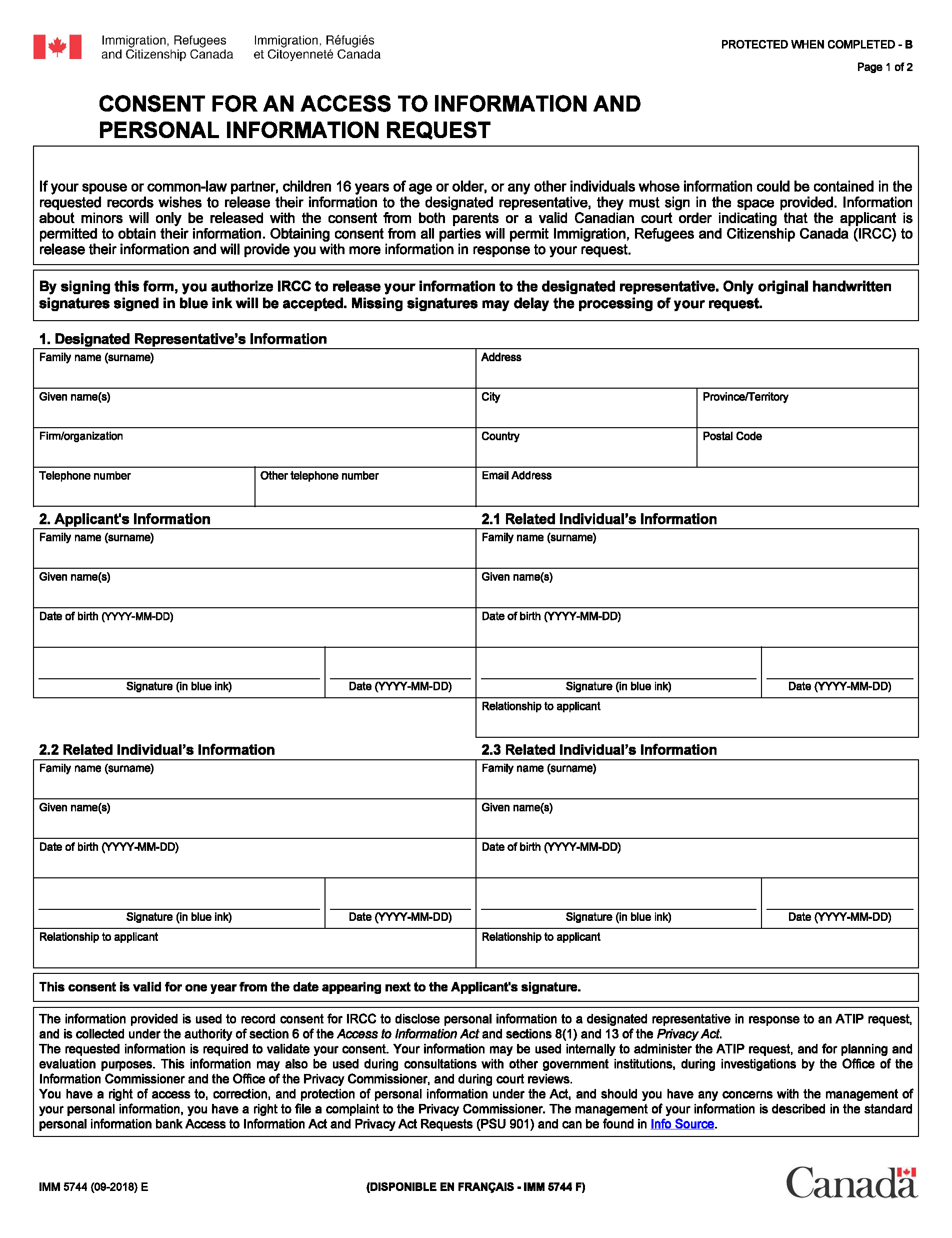
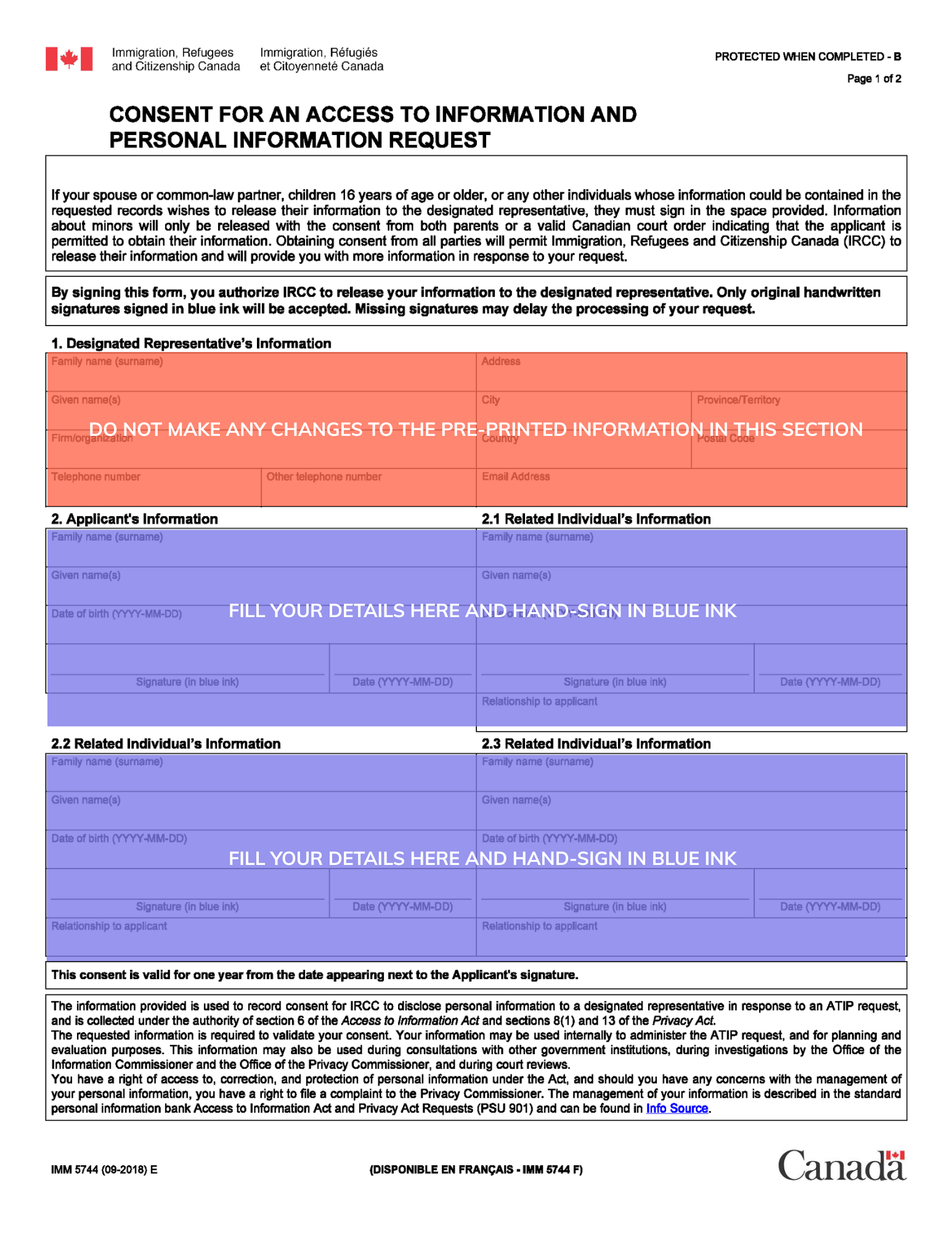
CBSA Consent Form
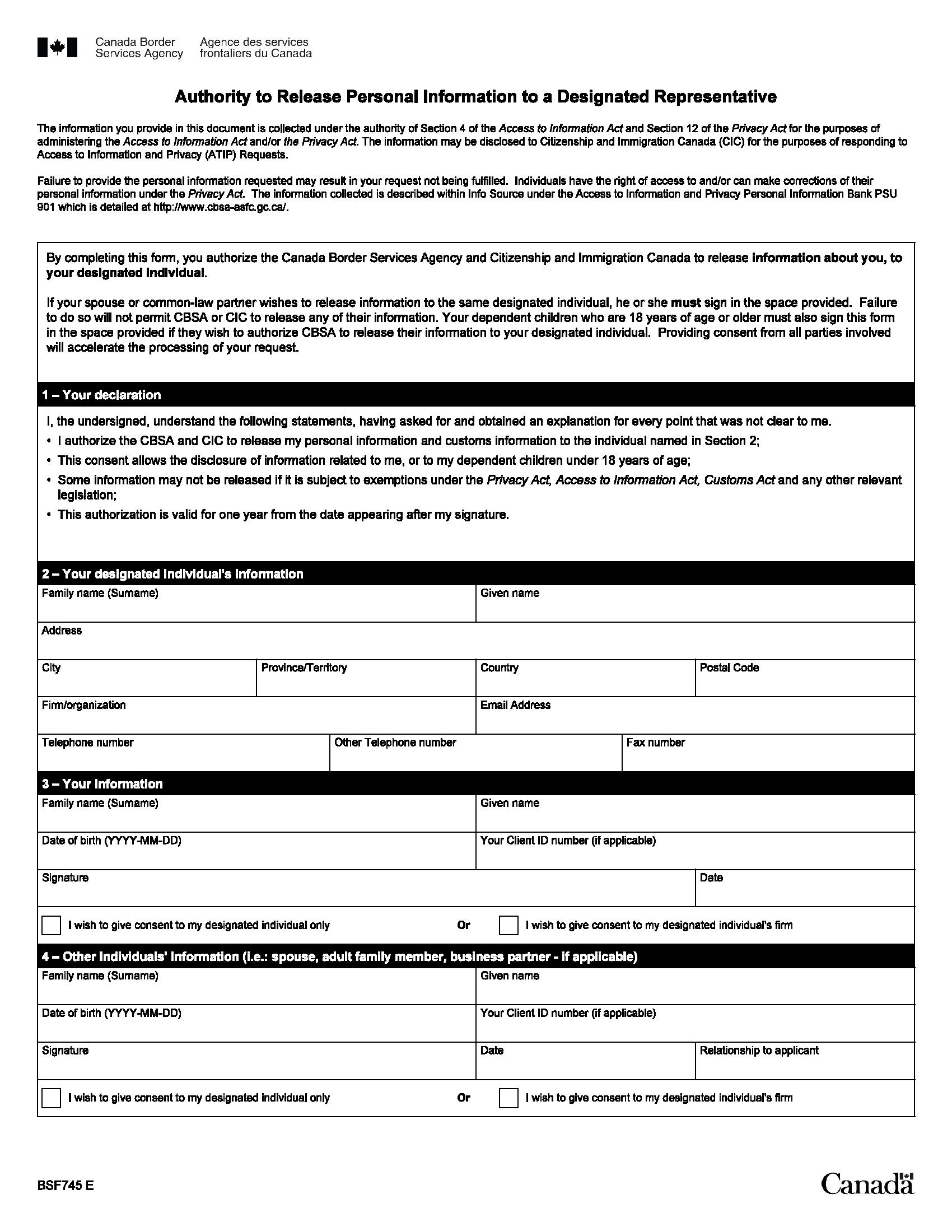
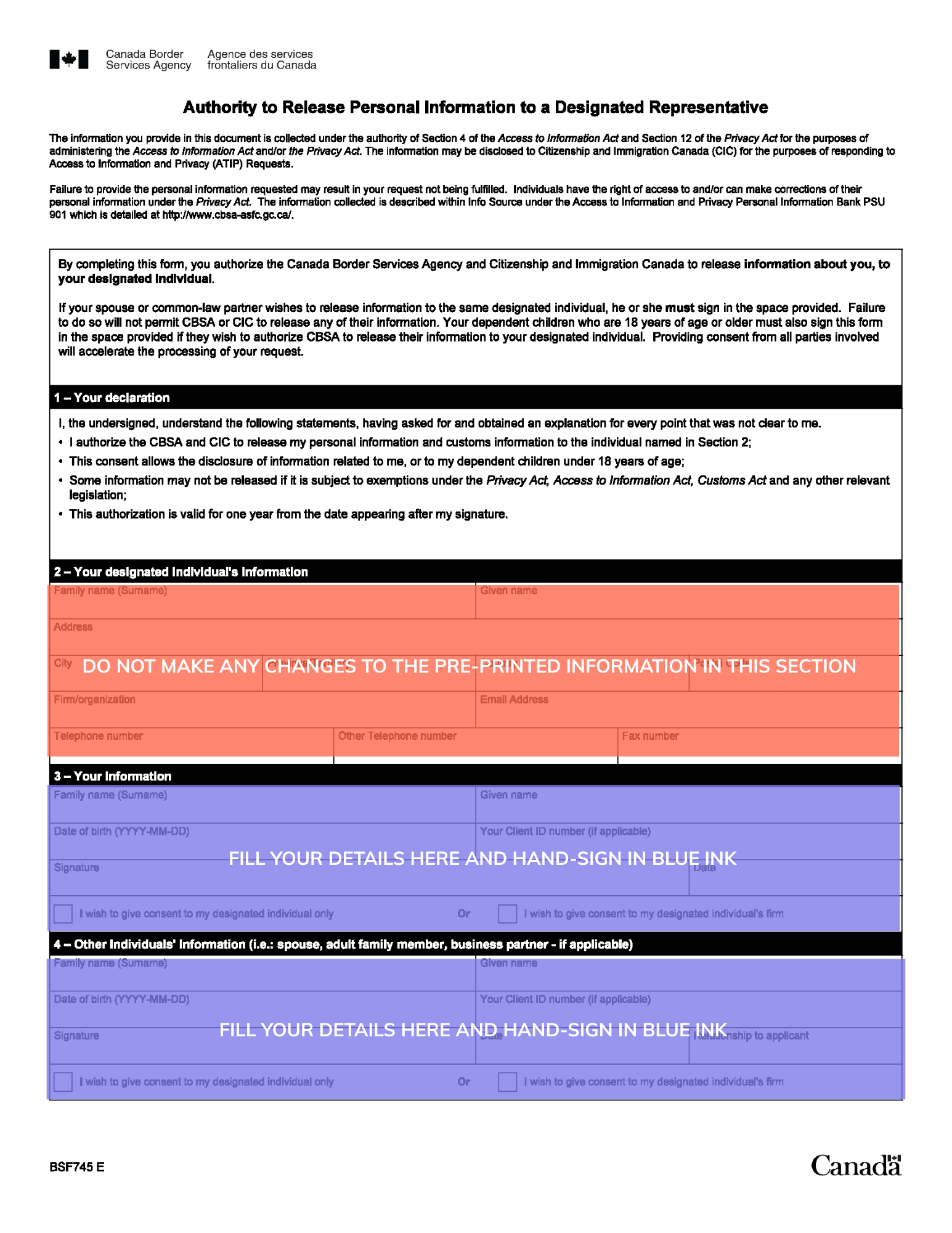
How to Fill Out and Submit the GCMS Notes Consent Form
Step 1: Review Your Pre-Printed Details
Check that your full legal name, date of birth, and UCI number are correct on the form. These must match the information on your immigration application exactly. If anything looks incorrect, update it in your account before printing.
Step 2: Sign the Form
Sign the consent form with your actual signature. IRCC does not accept digital or electronic signatures, so it’s important to hand-sign the form in blue ink. Your signature confirms that you are authorizing the release of your personal records.
Step 3: Upload to Your Account
Scan or photograph the signed form clearly and upload it through your GCMS Notes Request account. Make sure the entire form is visible, including your signature. We accept common file formats like PDF, JPG, and PNG.
Step 4: We Submit Your Request
Once we verify your consent form, we submit your request to the government the same business day. From this point forward, you can track your GCMS notes through your account.
Can Someone Else Sign the Consent Form for You?
No. The person whose records you are requesting must sign the consent form themselves. If you are ordering on behalf of someone else (for example, a family member or client), that person must sign their own consent form. You can place the order and manage the account, but the signature must belong to the record holder.
What If You Are Ordering from Outside Canada?
The consent form process works the same regardless of where you are located. You can print, sign, scan, and upload the form from anywhere in the world. There are no notarization or apostille requirements. For more details, see our guide on ordering GCMS notes from outside Canada.
Common Consent Form Issues and How to Avoid Them
The most common reasons we return or delay a consent form are:
- the name on the form does not match the immigration application exactly
- the signature is missing or unclear
- forms are digitally signed, instead of being hand-signed in blue ink
- the uploaded image is blurry or cut off
- and the UCI number is incorrect.
To avoid unnecessary delays, double-check all details before uploading.
Frequently Asked Questions
Can I use an electronic signature on the consent form?
No. IRCC does not accept not accept eSignatures, scanned images or drawings of signatures on the consent form. Only handwritten signature in blue ink is accepted.
Do I need a new consent form for each order?
Yes. Each GCMS notes order requires its own signed consent form, as it authorizes the release of records for that specific request.
Where do I find the consent form?
After you complete payment, we provide you with a link to generate consent forms. You do not need to download government forms separately.
What happens if my consent form has an error?
If we find an issue with your consent form, we will contact you by email with instructions on how to correct it. We will not submit your request until we receive a valid form.
Order Now and Get Your Consent Form
Visit gcmsnotesrequest.ca to place your order. Your account generates a pre-filled consent form automatically after payment, making the process quick and straightforward.